Practice Questions, Flashcard Generator and Instant Feedback
Plato helps you create revision materials like practice questions and flashcards tailored to your course content. These materials are great for reinforcing what you've learned and preparing for exams or seminars.
How to Create Revision Materials
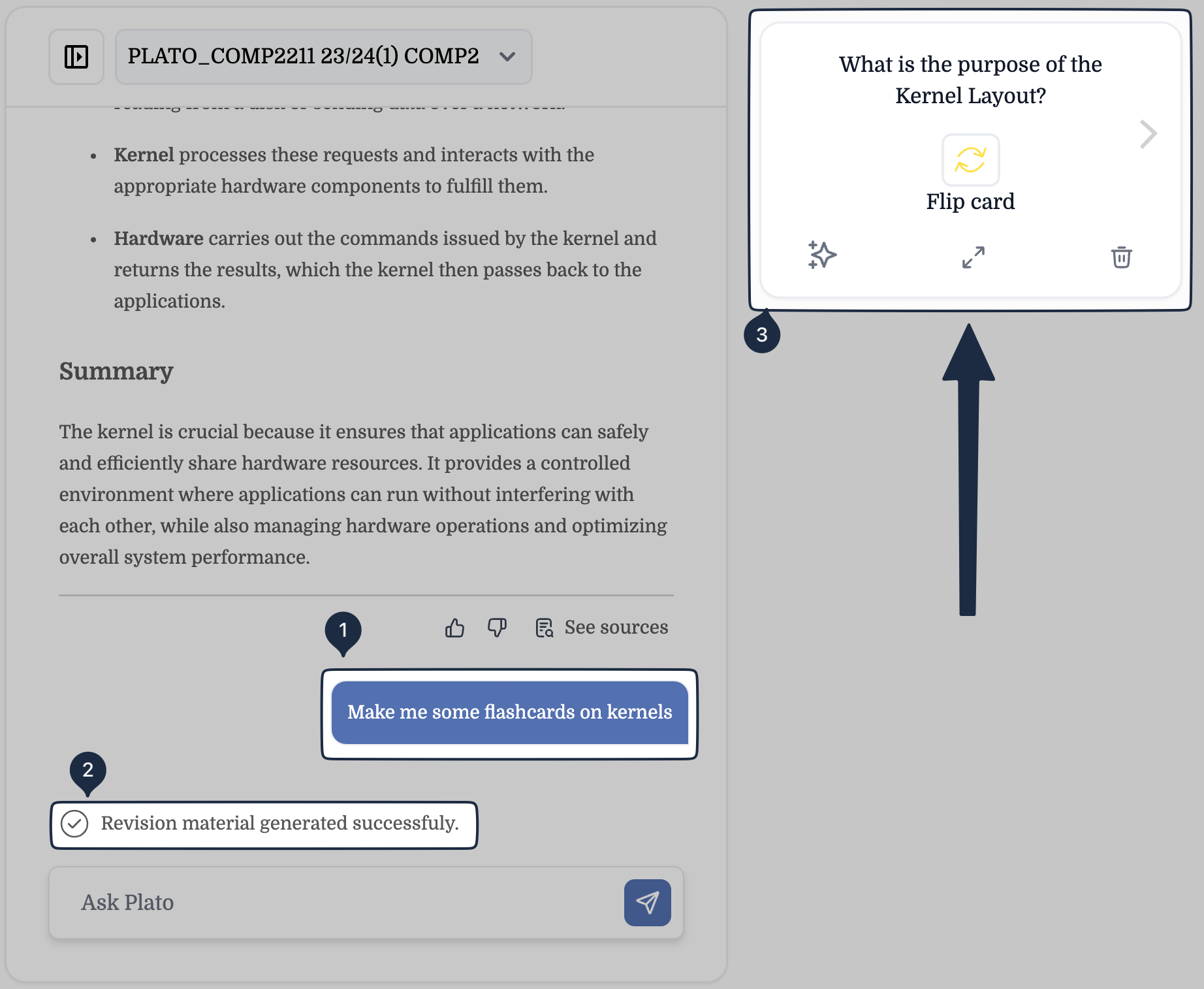
To create revision materials, simply ask Plato to generate them for you. You can do this by typing specific prompts, such as:
- "Generate a practice question on [specific topic or lecture]."
- "Create some flashcards on [key concept or term]."
Plato will instantly provide you with custom practice questions or flashcards. Once generated, the practice questions and flashcards will appear on the top right side of the screen for easy access.
How to Save Materials
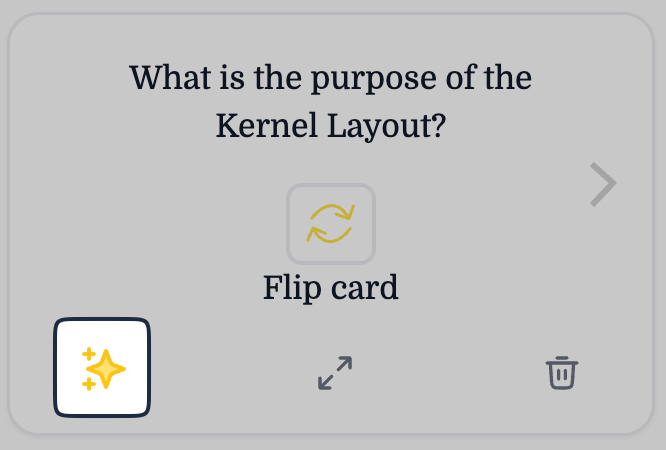
Once Plato generates some flashcards or practice questions, you can click on them and use the arrows on the left and right to navigate between them.
To save a flashcard or practice question for future use, click on the star icon at the bottom left to save it for later, which will be stored in your Library for future review.
Where to Find Saved Materials
You can easily access your saved materials in two places:
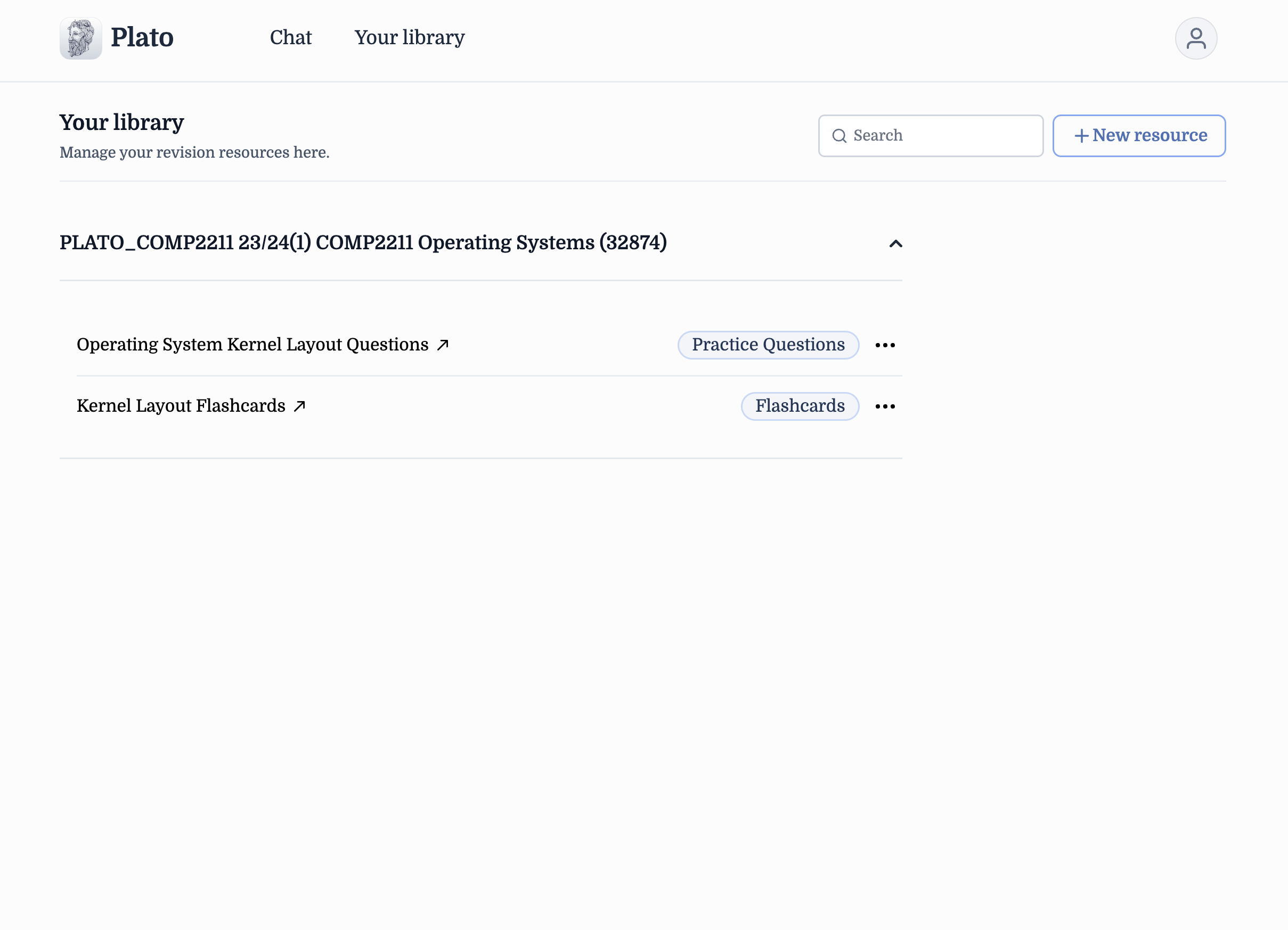
- In the Chat: If you've saved your revision materials you will always be able to find them in the chat where you originally asked and created them.
- In Your Library: All saved materials are also available in your Library, where you can organise and practice with them as needed.
Where can I find them in my library?
All resources saved in chat will also be available in your library. These can be found underneath their respective module. Materials are automatically linked to the same module which you were chatting with when you created the material.
Answering Practice Questions
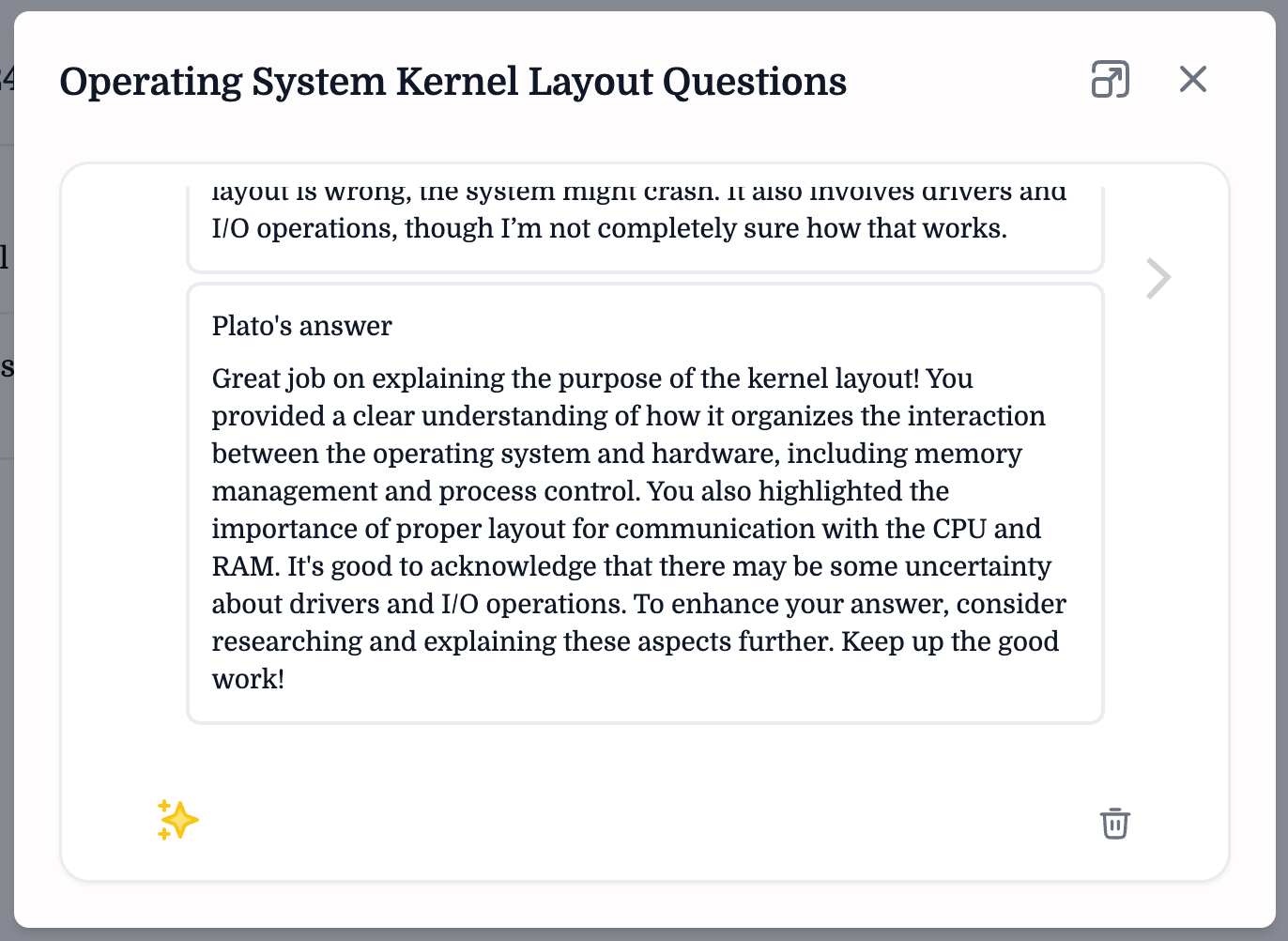
When you answer a practice question generated by Plato, you’ll receive instant feedback. Plato will evaluate your answer and provide suggestions on how to improve, clarifications, or further guidance to enhance your understanding of the topic. This real-time feedback is designed to support your learning and help you better grasp difficult concepts.
Take full advantage of this feature to continuously test your knowledge and refine your learning strategy.
Example Question & Student Answer
What is the purpose of a kernel layout?
"The purpose of a kernel layout is to organise how the operating system interacts with the hardware. It deals with memory management and how the OS controls different processes. The kernel is the core part of the OS, so it needs to be laid out in a way that it can communicate with the CPU and RAM properly. If the layout is wrong, the system might crash. It also involves drivers and I/O operations, though I’m not completely sure how that works."